














 En
En
 14 min read
As a communication tool with more than 2 billion monthly activities worldwide, WhatsApp has become a ‘golden channel’ for foreign traders to develop customers. I am well aware of the advantages and challenges, and I have also experienced all kinds of problems such as being stuck by the CAPTCHA when registering, and being banned when raising the number inadvertently. You, on the other hand, are probably facing the same problems, and even missing out on valuable orders as a result.
Today, I will share my experience with you from the registration, raising the number, anti-blocking to customer acquisition of these four key links, to help you avoid risks and improve efficiency. Remember to bookmark it and be at the forefront of success!
Download and Install
IOS
Open the App Store, enter ‘WhatsApp’ in the search bar, find the official app and click ‘Get’ to download. After downloading, open the app and the system will automatically guide you to the registration process.
Android
Go to Google Play Store, search for ‘WhatsApp’ and click ‘Install’ button to download. Once the download is complete, open the app and follow the prompts to enter the registration page.
PC
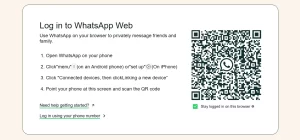
At present, WhatsApp does not support direct account registration on PC. You need to complete the registration on your mobile phone first, and then sync WhatsApp to PC by scanning the QR code, just visit WhatsApp Web and scan the QR code with WhatsApp on your mobile phone to complete the sync.
Mobile Number Verification
When registering for a WhatsApp account, you will need to bind a mobile phone number. It is recommended to use a physical SIM card that supports international messaging (e.g. Google Voice or an overseas local number) and enter it in the format of ‘+country code + mobile phone number’.
● Register via SMS
After opening the WhatsApp app, enter your mobile phone number and click ‘Continue’. A text message containing a verification code will be sent to your mobile phone. Once you receive the code, enter it on the registration page to complete the verification. If you do not receive the verification code, please do not continuously click to resend it, as it may trigger the wind control, and it is recommended to try again after a 5-minute interval.
● Register by voice call
Click on the ‘Voice Call’ option on the registration page. When you answer the call, you will hear the verification code announced by the automated voice, follow the prompts to enter the verification code to complete the registration.
Set Your Profile Picture, Username, and Bio
Profile Picture
Click on the profile icon within the app and select “Edit Profile.” Tap on the profile picture area, then choose a high-quality image as your profile picture. It is recommended to use your company’s logo or a professional personal photo, as this can significantly enhance the credibility of your account.
Username
On the “Edit Profile” page, enter your username. If you are using a business account, it is best to use your company or brand name so that customers can easily recognize you.
Bio
Fill in your bio on the “Edit Profile” page. You can briefly introduce your company, the services you offer, or your areas of expertise. It is recommended to include keywords in your bio to make it easier for others to find your account via search.
Note
For private domain marketing within the country, many people use multiple devices. It is therefore recommended to use a dedicated IP address rather than sharing one, to reduce the risk of your account being banned. If you only need to manage a few devices, Wi-Fi is acceptable; however, if you need to operate on a large scale or manage many devices, it is advisable to use mobile networks to avoid network correlations among devices.
How to Properly Warm Up Your WhatsApp Account?
When using WhatsApp for international trade, properly warming up your account is essential for increasing its activity and credibility. By mimicking the behavior of real users, your account will appear more natural and trustworthy. Below are the specific steps and strategies for warming up your account for your reference:
Steps for Warming Up Your Account
1.Add Long-Time Contacts
In the initial stage, it is recommended to add some long-time contacts whose accounts have been active for at least six months. After adding them, initiate conversations, label them as contacts, and maintain regular communication, including occasional voice calls. This interaction helps enhance your account’s activity and credibility.

2.Actively Participate in Group Discussions
Engaging in WhatsApp group discussions is key to increasing your account’s activity. Frequent interactions make your account appear more genuine and lively. Choose groups related to your business, share your expert insights, and gradually build your influence.

3.Leverage Old Accounts to Boost New Ones
If you don’t have enough long-time contacts, you can reach out to your existing clients, especially those with whom you have a good relationship, and ask them to add your new WhatsApp account to help boost its activity. This is a critical step that helps your new account quickly integrate into a normal social circle.
Warming Up Period and Strategies
1.First Two Weeks: Add Contacts Cautiously
In the first two weeks of warming up your account, do not add more than 10 contacts per day. Adding too many may trigger the anti-spam system and result in your account being banned. Avoid frequently adding strangers on platforms like TikTok. Limit your additions to no more than 10 contacts per day, while mimicking the behavior of real users, such as chatting with existing friends and sending voice messages.
2.After Two Weeks: Gradually Increase Contact Additions
After two weeks, you can gradually increase the number of contacts you add. Generally, after more than 20 days of warming up, your account becomes relatively active, and adding around 50 contacts per day becomes acceptable.
3.After One Month: Boost Activity
After one month, your account’s activity will further improve, and adding hundreds of contacts a day should not be a problem. For example, some accounts have over 5,000 contacts, and during peak periods, they may even add up to 1,000 new contacts in a single day.
Precautions
● Maintain stable account information
After the new number is online, after determining the name and avatar, don’t change it again, frequently changing these basic information will increase the risk of the account being judged untrustworthy.
● Avoid illegal operations
new numbers must not create groups, the risk of creating groups is very high.
● Regularly back up chat logs
Regularly backing up WhatsApp chat logs is also one of the strategies to raise your number.
With the above steps and strategies, you can effectively increase the activity and weight of your WhatsApp account, and lay a solid foundation for the smooth running of your foreign trade business.
Reasons Why New WhatsApp Accounts Get Banned
Adding More Than 20 New Contacts in a Day
If you add more than 20 strangers in one day, WhatsApp may flag your account as a marketing bot or spam account. To avoid this, it is recommended that you control the frequency of adding contacts—limit new accounts to adding no more than 5 people per day—and prioritize adding contacts by searching for their phone numbers rather than random additions.
Mass Sending of Advertisements Containing Sensitive Keywords
Sending mass messages that include advertisement links with sensitive keywords such as “Free” or “Discount” can trigger spam filters, leading to account suspension. Instead, avoid large-scale mass messaging of ad links. Opt for a mix of text and images, such as sending a “product image + PDF quotation,” and ensure that any links are encrypted (for example, by using Bitly short links).
Frequently Switching Devices/IPs for Login
If the same account frequently switches between devices or IP addresses in a short period, the platform might suspect the account of being compromised or involved in abnormal activities. In this case, it is advisable to bind the account to a static residential IP to ensure a stable login environment.

Being Reported by More Than 3 Users
If an account is reported by more than three users, it is usually because it has violated community guidelines (e.g., harassment or fraud). To prevent this, try to avoid excessive promotional activity. Clearly state your identity and purpose during the initial contact, and if reported, immediately pause activities for 3 to 5 days to mitigate further risks.
Sending a Large Volume of Identical Messages in a Short Time
Sending a high volume of identical messages within a short time frame can trigger the platform’s automated risk controls. It is recommended to send messages manually with intervals of at least 5 minutes between each, and consider using AdsPower automation scripts to randomize the sending time (with a ±2 minute fluctuation) to spread out the risk.
Registering with Virtual Numbers
Accounts registered with virtual numbers (such as Google Voice) are more likely to be flagged as high-risk by the system. It is advisable to switch to a physical SIM card, especially one from your target market, to enhance the security and credibility of your account.
Creating Large Groups with Over 50 Members on a New Account
If a new account creates a group with more than 50 members, it can easily be classified as a marketing group. To avoid this risk, new accounts should refrain from creating groups in the first two weeks. Instead, start by creating small internal groups of only 5 to 10 people, and avoid using overtly promotional names—for instance, replace “Promotion Group” with “Industry Exchange Group.”
Sending Politically or Religiously Sensitive Content
Sending content that is politically or religiously sensitive directly violates the platform’s content policies and increases the risk to your account. You should strictly limit communication to business-related topics and use sensitive-word filtering tools (such as Grammarly Business for content review) to ensure compliance.
Logging into Multiple WhatsApp Accounts on the Same Device
Logging into multiple WhatsApp accounts on the same device can lead to device ID linkage, increasing the risk of bulk account bans. It is recommended to use AdsPower to create independent browser environments and assign different User Agents, time zones, and language settings for each account to effectively avoid this risk.
Tips for Using WhatsApp to Develop International Trade Clients
Accurately Target Clients
To efficiently use WhatsApp for developing international trade clients, the key is to precisely identify and add your target customers. You can obtain high-quality client information from the following common data sources:
Customs Data Platforms
Use platforms (such as Panjiva or ImportGenius) to search for import records in your target country, filtering for business contacts from companies with significant purchase volumes to support your lead generation efforts.
Social Media Scraping
Gather and export phone numbers of industry buyers via social media channels such as LinkedIn and Facebook groups, which can help you quickly build a client list.
Trade Show Directories
Collect and organize the list of exhibitors from industry trade shows (for example, the Canton Fair). By matching these details with WhatsApp numbers, you can uncover more clients with commercial potential.
Existing Client Referrals
Request referrals from your current clients, and offer commission incentives when appropriate, to help introduce more potential customers.
Below are some ice-breaking message templates for using WhatsApp to develop international trade clients. These templates not only showcase your professional image but also help build rapport with potential clients:

● Template 1: Initial Contact
“Hello, I’m [Your Name] from [Your Company]. We specialize in [Product/Service]. I understand that your company has extensive experience in [Industry/Field], and I would like to share our solution with you to explore potential cooperation opportunities.”
● Template 2: Post-Trade Show Follow-up
“Hello, I’m [Your Name] from [Your Company]. It was a pleasure meeting your team at [Trade Show Name]. I was impressed by your company’s products and would love to learn more about your needs and discuss future cooperation.”
● Template 3: Inquiring About Needs
“Hello, I’m [Your Name] from [Your Company]. We have recently launched a new [Product/Service] tailored for [Target Industry] that has helped several companies improve efficiency. I’m reaching out to see if your company might have similar needs.”
● Template 4: Requesting Feedback
“Hello, I’m [Your Name] from [Your Company]. We recently introduced a new [Product/Service] designed for [Industry/Field], and we’d appreciate hearing your thoughts and feedback on its performance.”
● Template 5: Invitation for Cooperation
“Hello, I’m [Your Name] from [Your Company]. I understand that your company is a leader in [Field], and we believe there is significant potential for cooperation. Would you be open to a brief discussion to explore mutually beneficial opportunities?”
Summary
Through the above content, we can see that successfully operating a WhatsApp account for international trade requires careful planning and execution from multiple dimensions. Every step—whether it’s account registration, setting up profile pictures and bios, warming up the account, or risk management—must not be overlooked.
During the account warm-up phase, adding long-time contacts, actively participating in group discussions, and leveraging established accounts to support new ones can gradually increase the account’s activity and credibility. At the same time, strictly controlling the number of contacts added, avoiding frequent switching of IP addresses and devices, and steering clear of sensitive topics and mass advertising messages are crucial strategies for reducing the risk of account suspension.
In terms of client development, precisely targeting your ideal customers, leveraging various sources such as customs data, social media scraping, and trade show directories, and combining these with professional ice-breaking messages can significantly enhance your efficiency in acquiring international trade clients. By implementing these targeted measures, you will find it easier to stand out in the global market and achieve steady business growth.