

















 En
EnHow to publish DropSure products to Shopify
Step 1: Click on the product to enter the product details page.

Step 2: Click Publish to Store, select the linked Shopify store, and click Confirm.

Step 3: Select the SKUs you want to keep, set the price and inventory, and submit.

Step 4: Click Inventory, select the DropSure Fulfillment location, check all, and click Bulk edit.

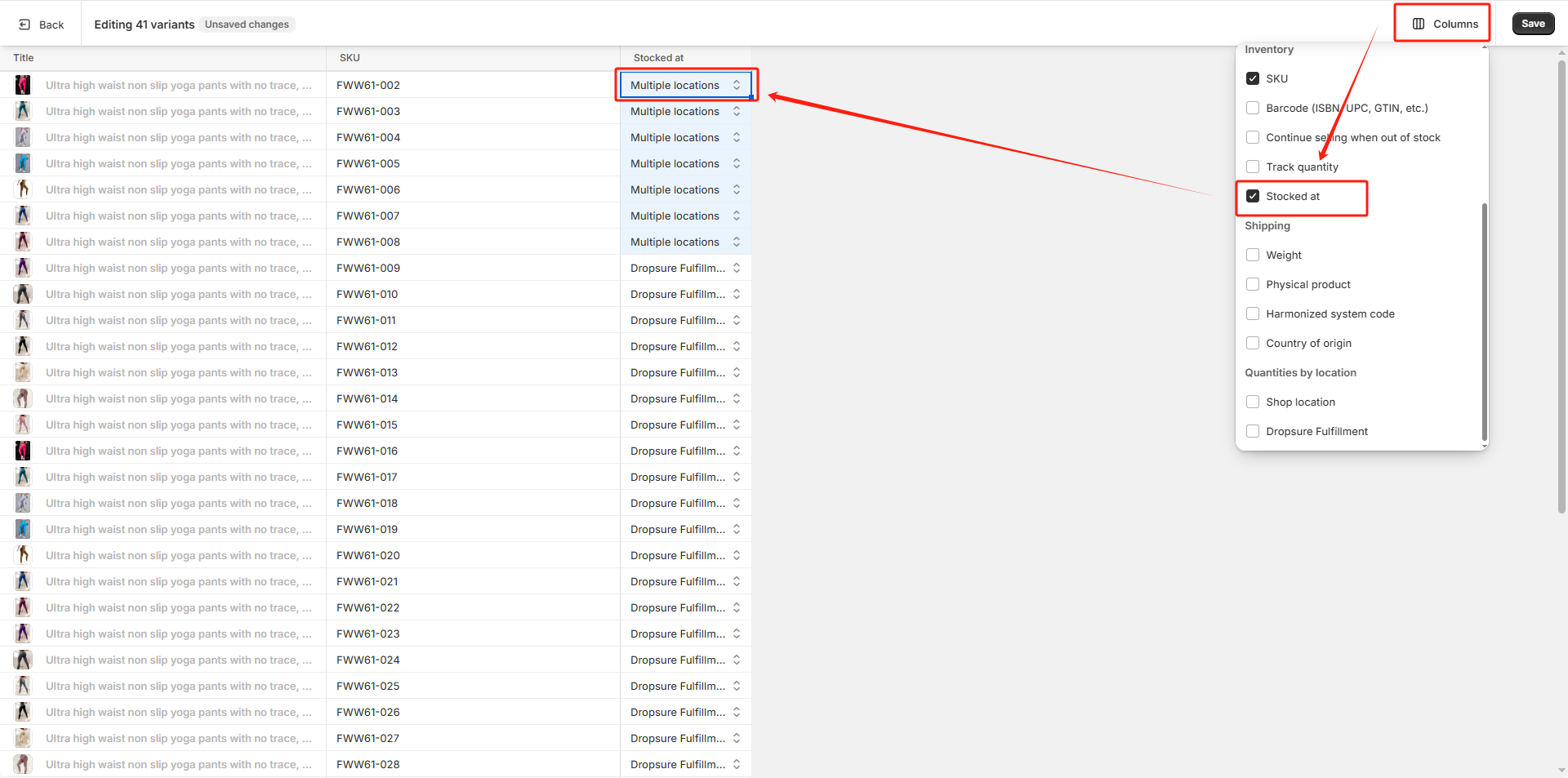
Step 5: Click Columns, select the Stocked at field, drop down and change all Stocked at fields to Multiple locations, then click Save to save the settings.

Step 6: Preview the product to see that it can be purchased and added to the shopping cart.


